Your Leadership Dashboard
How do you know what’s happening in your business?
The answers usually sound something like this:
"I check my email."
"I ask my assistant."
"I look at the bank account."
"I open the CRM."
"I see if anyone Slacked me."
None of those are wrong. The problem is that they require you to go looking for information.
A leadership dashboard brings the important information to you.
Not everything: Just the information that helps you make better decisions.
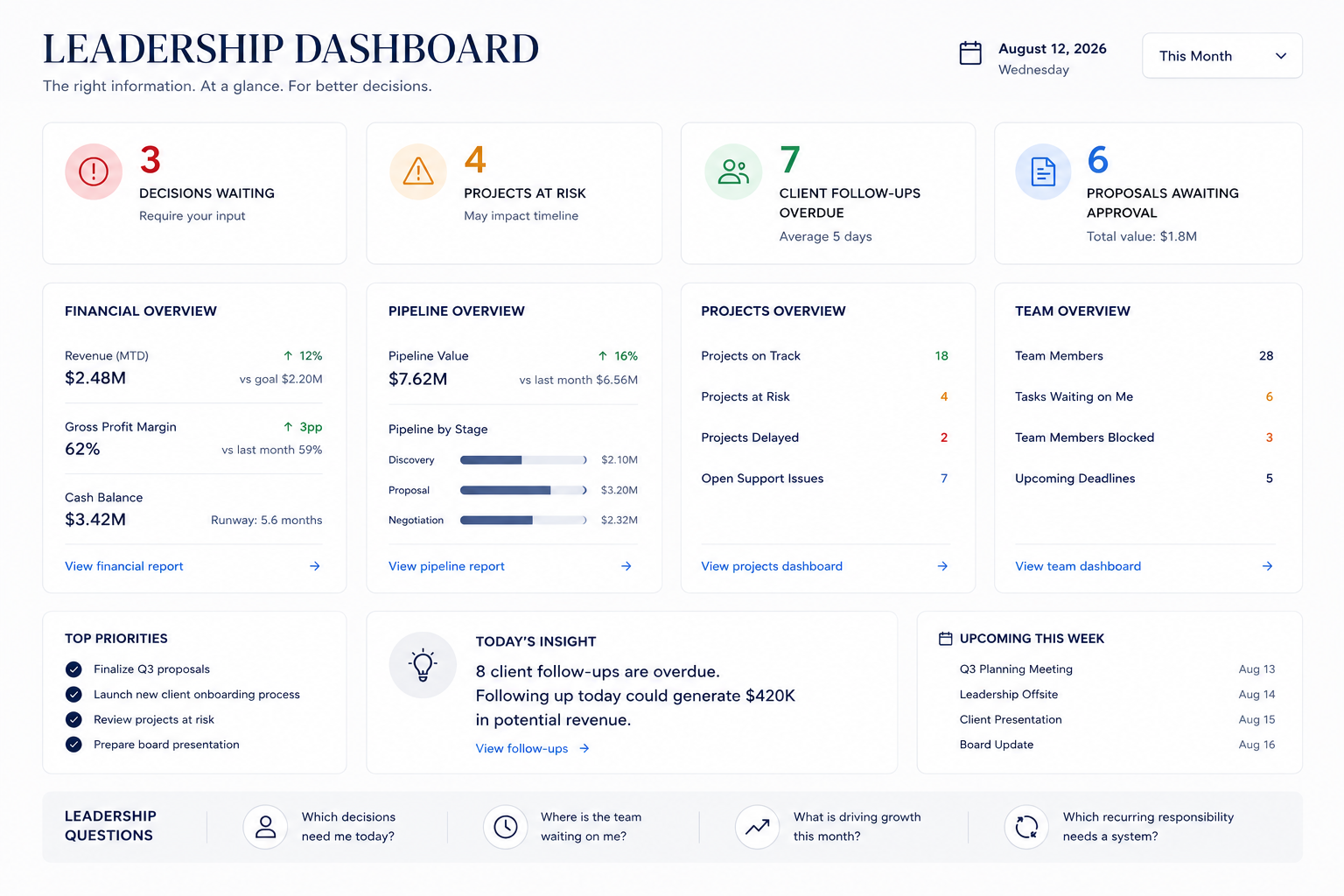
What belongs on a leadership dashboard?
Technology companies, nonprofits, healthcare practices, marketing agencies and service companies all need different information.
Instead of asking what metrics should be on it, ask:
"What decisions do I make repeatedly?"
Then work backwards.
For example...
If you spend time deciding what to work on...
Show:
Projects at risk
Deadlines this week
Items waiting for your decision
If you spend time checking sales...
Show:
Pipeline value
New leads
Proposals awaiting response
Revenue vs. goal
If you spend time checking on the team...
Show:
Team members blocked
Tasks waiting on you
Major wins
Upcoming deadlines
If you spend time answering customer questions...
Show:
Follow-ups due
Support issues
Client satisfaction
Renewals coming up
Notice the pattern? The dashboard isn't organized around departments.
It's organized around leadership decisions.
Start with paper, not software.
One mistake I see is spending weeks choosing a dashboard platform before deciding what should be on it.
Flip that around.
Grab a blank sheet of paper. Write this question at the top:
If I could only see ten things every morning, what would help me lead better today?
Those ten things become your dashboard. Then you can decide whether to build it in Excel, Notion, Airtable, Monday, HubSpot, Salesforce, ClickUp—or have AI help design it for you.
The software comes second.
The thinking comes first.
Try This
Take ten minutes this week and write your list of ten.
Then ask yourself one more question:
What decision will each one help me make?
If a metric doesn't lead to a decision, it probably doesn't belong on your dashboard.
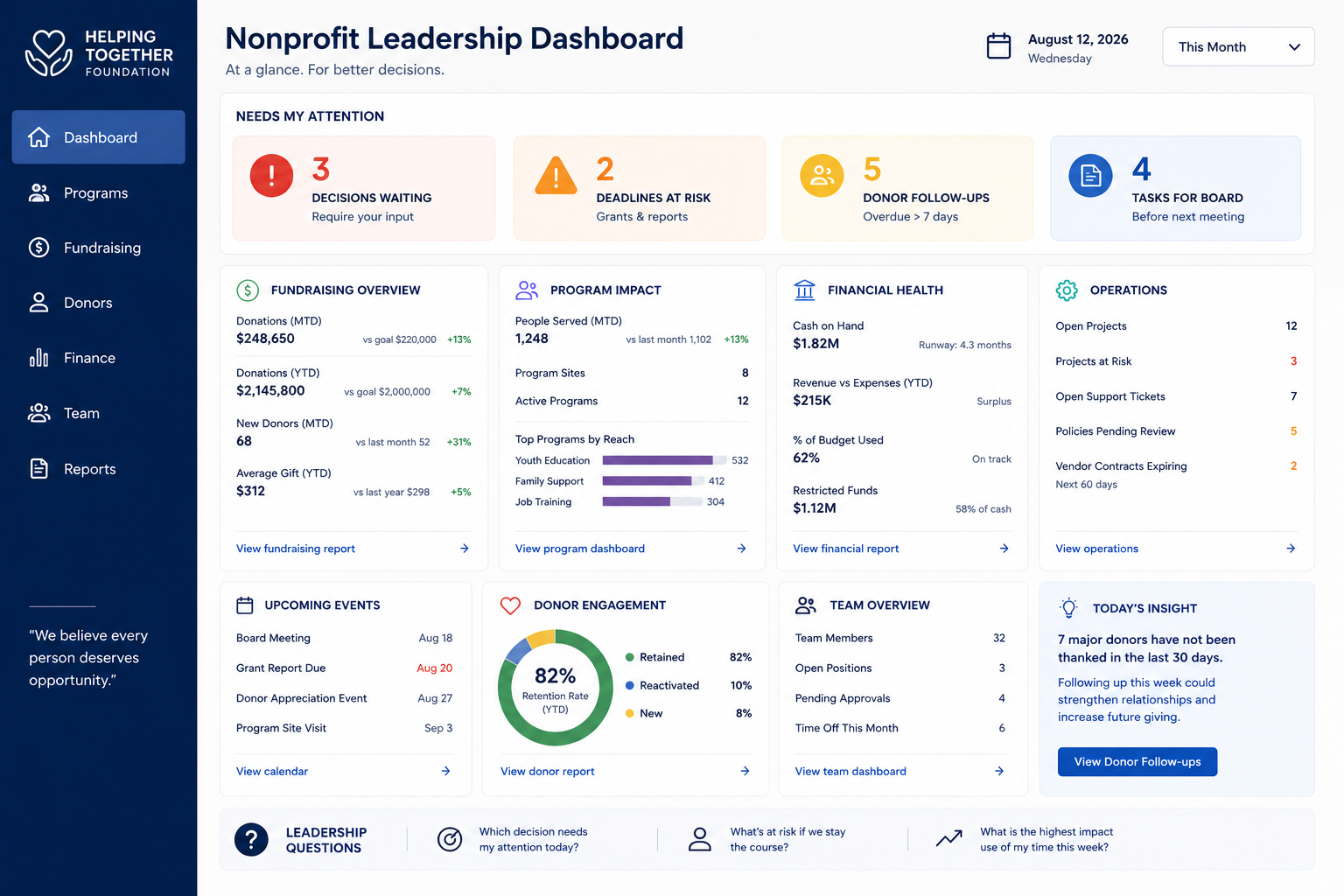
Sample dashboard a nonprofit leader might use
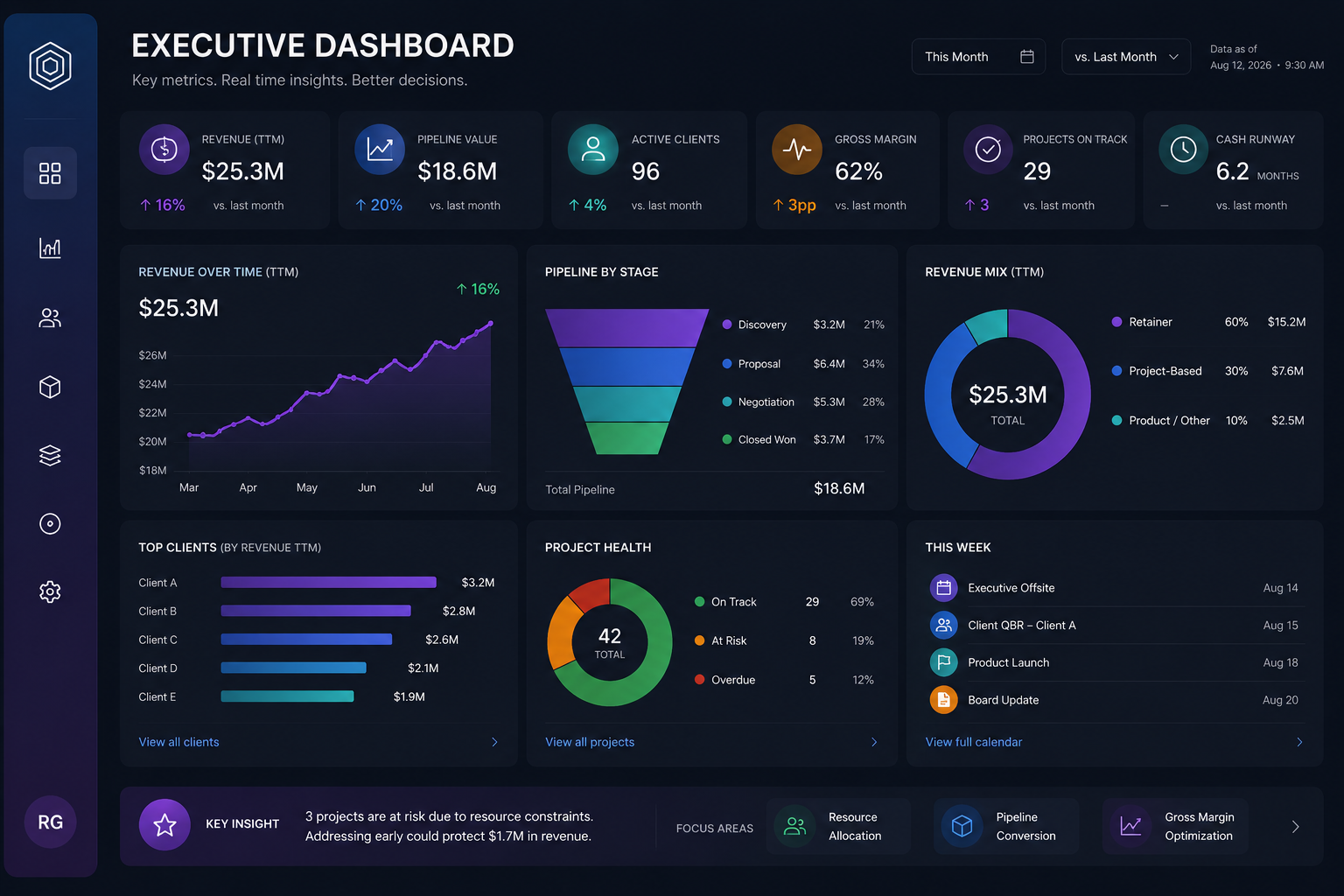
Sample dashboard a technology business owner might use